
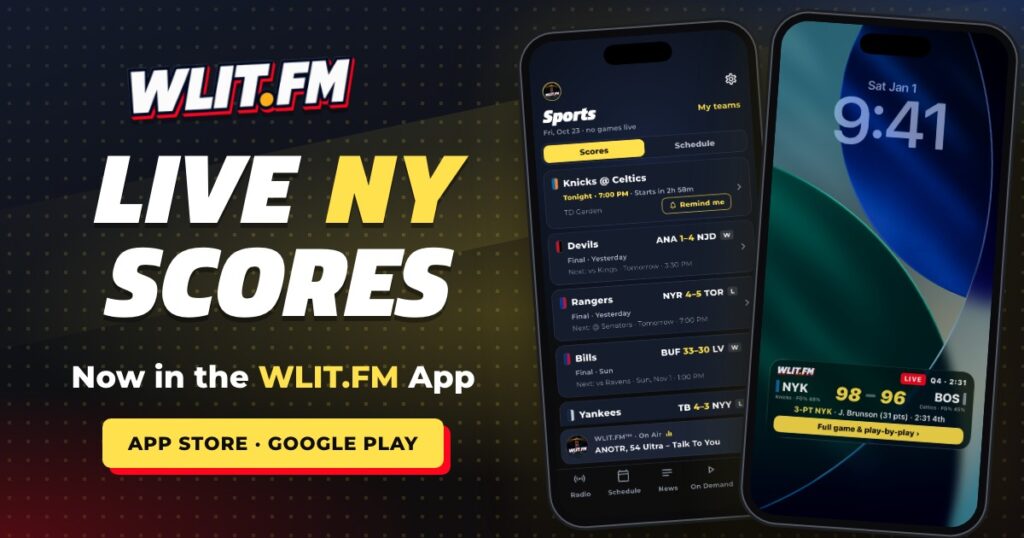
Long Island, you can stop refreshing five different apps during the game. Live scores for New York’s teams are now in the WLIT.FM app.
Open the app and you’ll see a new Sports tab. Here’s the quick tour.
- What
- Live scores, schedules and score alerts in the WLIT.FM app
- Teams
- Rangers, Islanders, Devils, Knicks, Nets, Giants, Jets, Bills, Yankees and Mets
- Get it
- App Store and Google Play
Step 1: Pick your teams
The first time you open Sports, the app asks you to pick your teams. Go Rangers and Mets, go Islanders and Yankees, go all ten. No judgment. Change them anytime in Sports › My teams.
Step 2: Scores and Schedule
Scores opens first, with your teams’ games. Tap any game for the full game screen and play-by-play.
Flip to Schedule to see upcoming games by day. Want to be there in person? You can grab tickets on StubHub right from the schedule. StubHub is WLIT.FM’s official ticket partner.
Step 3: Let the alerts do the work
Score alerts are on for your teams from the start. Every game sends you the start and the final, and the final links to our recap on WLIT.FM when it’s posted. In between, it depends on the sport:
- Hockey: every goal.
- Basketball and football: the end of each quarter, plus overtime.
- Baseball: only the half-innings where somebody scores. No pinging you through a 0-0 seventh.
Don’t want to miss puck drop? Tap Remind me for the next game on the game screen and you’ll get a heads-up 15 minutes before it starts.
Step 4: Put the game on your phone
On iPhone, tap Pin to Lock Screen and the game becomes a Live Activity on your Lock Screen and in the Dynamic Island. It updates with every score change, no unlocking needed.
On Android, pinning gives you a live score notification, and you can add WLIT.FM score widgets to your home screen.
Keep the music on
Best part: WLIT.FM keeps playing live while you follow the game. Your teams and your station, one app.
Download the WLIT.FM app on the App Store or Google Play, pick your teams, and you’re set for tonight. Let’s go.